Mango
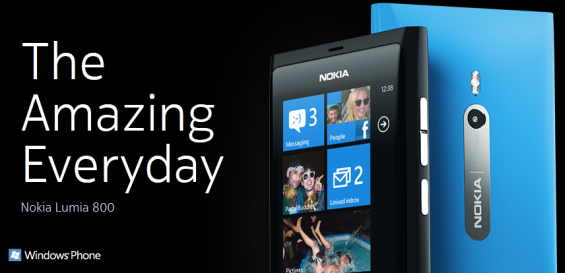
Nokia Lumia 800 -The Amazing Everyday
At a glance… 3.7″ Display size, 8 megapixels camera, Weight 142g, 9.5 h (Max 3G talk time), 335 h (Max 3G standby time), 55 h (Maximusic playback time), 7 h (Max video playback time)
Below you will find the technical Specifications of the amazing Nokia Lumia 800:

Nokia Lumia 800
| Connectivity | Data Network2 | Operating Frequency |
WLAN support
Data synchronisation
Local connectivity
MemoryTotal user memory16 GB mass memory (no slot for micro-SD cards) SDRAM memory512 MB Power Management1BatteryBV-5JW 3.7V 1450mAh Power managementUSB Charging Maximum 2G talk time13 h Maximum GSM standby time265 h Maximum 3G talk time9.5 h Maximum 3G standby time335 h Maximum music playback time55 h Maximum video playback time7 h 1 Operation times may vary depending on radio access technology used, operator network configuration and usage. |
Data bearer
2 Requires data service. Data services may not be available in all networks. Data transmission speeds may be as high as HSDPA 14.4 Mbps, but may vary based upon network capabilities and other conditions. The establishment and continuation of a data connection depends on network availability, provider support and signal strength. Extra feature
|
Operating band
CPU CountSingle Hardware CPU clock rate1400 MHz Hardware CPU typeQualcomm MSM8255 (WCDMA) |
Via: www.nokia.com
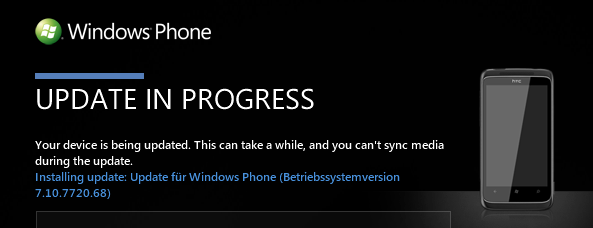
Force Mango update early through Zune software
There is a way to force the Mango update early through Zune software.
(Please leave below a comment if it works (or not) for your device. Thx in advance!)
Here it is:
Before we begin, keep in mind that a total of three updates must be installed on the path to Mango: 7392, 7403, and 7720, which is Mango itself. The process will take a while. Some people may already have 7392, in which case things will move a bit faster.
Steps to force a Mango update on phones for which Mango has started rolling out:
- Connect your Windows Phone to a PC and launch the Zune software
- Click on Phone/Settings/Update. Allow the software to tell you whether an update is available. If so, skip this guide. If not continue to the next step.
- Click the update button again, and this time immediately disconnect your computer from the internet (some people have better luck waiting 1-2 seconds). Do this by pulling the Ethernet cable, disabling Wi-Fi, etc.
- Wait 30 seconds or so and you should receive a notification that an update is available. This is 7392, the Mango pre-update.
- Now reconnect to the internet and continue with the update process through the Zune software.
- After 7392 is fully installed, you may receive a notification that another update is available. If so, install Mango now. If not, proceed to the next step.
- If the second update isn’t popping up on its own, repeat steps 3-5, causing the 7403 update to appear.
- Install 7403, brave reader.
- One more time! Check for the last update, Mango. If you see it, go for it. If not, head to the next step.
- If the Mango update isn’t popping up on its own, repeat steps 3-5, causing the 7720 update to appear.
- Using the Zune software, install that Mango like it’s hot.
- This last step is very important! Celebrate your phone’s new found Mango status by purchasing a mango smoothie at your nearest Smoothie King, Jamba Juice, or Baskin Robbins.

Force Zune Mango Update
Via: www.wpcentral.com
Search this site
Popular Tags
Recent Comments
Latest Windows Phone News
- WNM Live releases updates for both Windows Phone 7 and Windows Phone 8 June 19, 2013 1:00 am
- Required pubCenter Update for Microsoft Ad Units June 18, 2013 11:20 pm
- The stock game updated to version 3.3 June 18, 2013 11:00 pm
- Nokia Lumia 520 interest still increasing June 18, 2013 10:17 pm
Links
- Windows Phone Official Product Site
- Windows Phone Official Blog
- Windows Phone Official Developer Blog
- Windows Phone Dev Center Develop for Windows Phone (MSDN)